Look, I can absolutely understand. Running a WordPress website is like drowning in endless tasks. Every day it’s the same drill.
Whether it’s SEO, backups, social media posting, or copying form submissions to spreadsheets, CRMs. The list never ends.
What if I told you there’s a better way? What if you could automate 90% of these monotonous tasks and actually focus on growing your business? Yes, you guessed it right! I’m talking about WordPress automation plugins. They automate all your boring, repetitive tasks like a pro and save you hours every week.
So, whether you want a workflow automation tool, an SEO automation tool, or a fine social media automation tool for your business, I’ve got you covered. In this guide, you will get the best WordPress automation plugins of 2026.
Best WordPress Automation Plugins in 2026: Key Features & Pricing
Here’s a quick overview of the top WordPress automation plugins, their main features, and pricing, so you can easily analyze and pick the right tools for your website.
|
Plugin Name |
What It Does |
Pricing |
|
Bit Flows |
Automates complex workflows and an AI agent for smart decision-making & unlimited workflows |
Starts at $189/one-time, for 1 site |
|
Rank Math |
Automates SEO tasks like meta tags, sitemaps, and content optimization |
Pro plan starts at $6.59/mon, billed annually |
|
CartFlows |
Automates sales funnels, upsells, and optimized checkout flows |
Premium pricing starts at $189/year |
|
UpdraftPlus |
Automates backups and restores WordPress sites easily |
Premium pricing starts at $70/year |
|
Bit Social |
Auto-posts WordPress content and WooCommerce products to social media |
Starts at $99/one-time, for 1 site |
|
TranslatePress |
Translates WordPress sites automatically into multiple languages |
Pro plan starts at €8.25/mon, for 1site |
Why WordPress Automation Plugins Matter in 2026?
I think this question is kinda boring now in 2026. Because everyone in this digital era uses automation at some point to simplify their everyday tasks.
WordPress automation plugins help you automate repetitive work, avoid human error, and scale your business faster without adding complexity.
Instead of jumping between tools, automation lets WordPress handle content creation, SEO, data syncing, social posting, backups, and customer journeys automatically.
From my experience, even basic automation can save 5 to 10 hours every week. Advanced automation can change how you run your entire business.
WordPress automation plugins connect your website to the rest of your business ecosystem, automatically transferring data where it needs to go, triggering actions based on user behavior, and keeping everything in sync without you lifting a finger.
The result? You save time, reduce errors, and create a seamless experience for your customers. Plus, you’ll actually have time to work on your business instead of being stuck in it.
Top WordPress Automation Plugins You Can’t Miss in 2026
Alright, now that you know how automation is ruling the world. It’s time to get practical. Not all plugins are created equal. Some help you save hours on repetitive tasks, others boost your SEO, manage your social media, or even automate your entire sales funnel.
I’ve handpicked the best WordPress automation plugins of 2026 that actually work, are easy to use, and cover every aspect of running a modern website.
Let’s skip the talk and jump straight in!
Bit Flows – The n8n/Zapier Alternative Inside WordPress
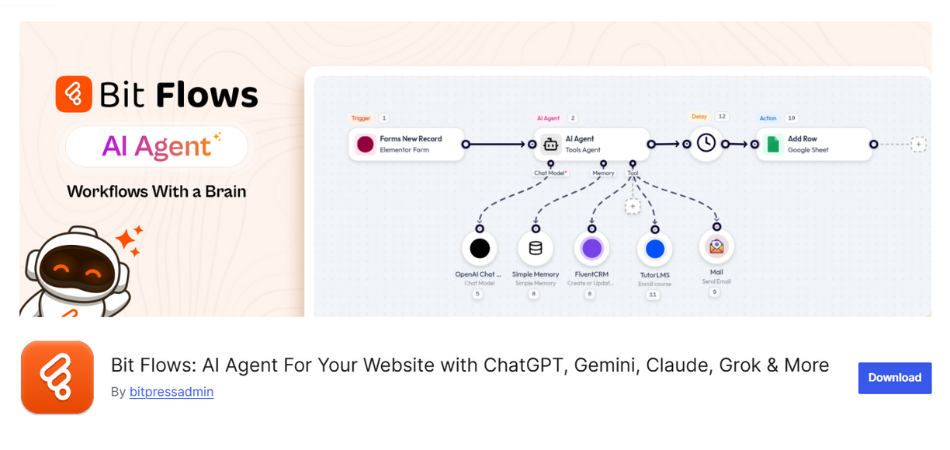
If you’re serious about workflow automation, then it’s an indication that you need Bit Flows. It is one of the most powerful AI workflow automation plugins.
This WordPress automation plugin lets you automate workflows inside your site as Zapier does. You build workflows with a visual drag-and-drop canvas. You pick a “trigger” like a form submission or new order and link it to actions like sending data or creating tasks. It works with more than 270+ platforms, including CRMs, email tools, Google Sheets, and WooCommerce.
You can also generate blog posts, product descriptions, SEO meta descriptions, summaries, and even analyze data using AI models, OpenAI, Claude, Gemini, and DeepSeek. It is the first automation plugin to bring a native AI agent inside WordPress, making your automation smarter. Now the plugin can create complex workflows that can think, decide, and act on their own.
With unlimited workflows, robust integrations with diverse platforms, and advanced workflow tools like routers, iterators, delays, and conditions, Bit Flows ensures that your workflow runs smoothly.
Key Features
- AI Agent for smart decision-making, intent analysis, and context-aware actions
- AI-powered content generation (blog posts, product descriptions, SEO meta descriptions)
- Unlimited multi-step workflows with drag-and-drop visual canvas
- Advanced workflow tools like Router, Repeater, Iterator, Delay, and Conditions
- Integration with over 270 platforms, including CRMs, email marketing tools, and AI platforms
- Self-hosted on your WordPress site, complete data control and privacy
- One-time payment model with no usage limits, unlimited workflows, tasks, and executions
- Send and receive data through webhooks to connect with external services beyond the built-in integrations.
Rank Math – Automate WordPress SEO with AI-Powered Tools
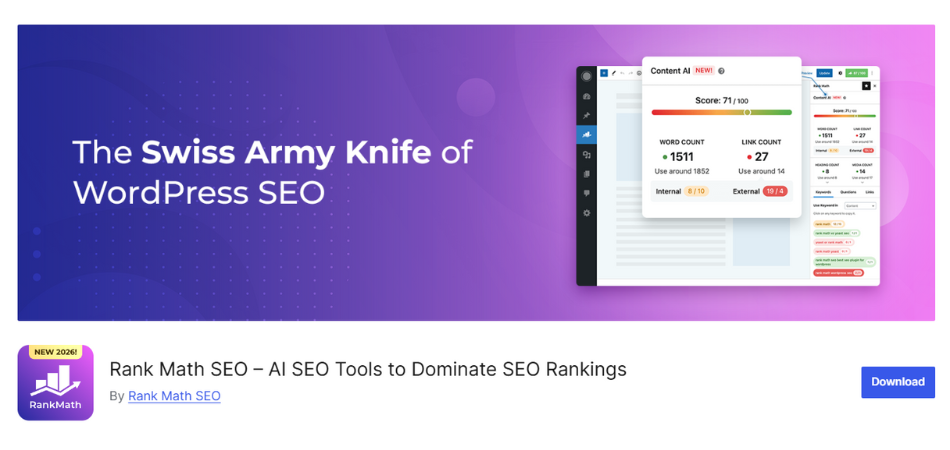
Rank Math is one of the best WordPress automation plugins for SEO. It automates on-page SEO tasks that beginners often forget to do. Those include generating SEO-friendly titles and meta descriptions, automatically submitting XML sitemaps to search engines, creating XML sitemaps, optimizing images with alt tags, and analyzing content quality with 30+ SEO tests.
The best thing about this SEO automation tool is that it runs SEO analysis automatically, showing exactly what to fix as you type. Also, the Google Search Console integration pulls in rankings and traffic data automatically. The AI-powered Content AI suggests keywords, generates meta descriptions, and helps structure content for better rankings without manual research.
For anyone serious about organic traffic, Rank Math removes the guesswork and turns SEO into a guided and automated process.
Key Features
- Advanced schema generator
- Real-time SEO analysis with 30+ tests and actionable recommendations as you write
- Google Search Console and Analytics integration with automatic rank tracking
- AI-powered Content AI for keyword suggestions, meta description generation, and content optimization
- Built-in 404 monitor and redirection
- Automatic sitemap submission to search engines
- Keyword tracking for performance analysis
- WooCommerce SEO automation
CartFlows – Sales Funnel Automation Plugin
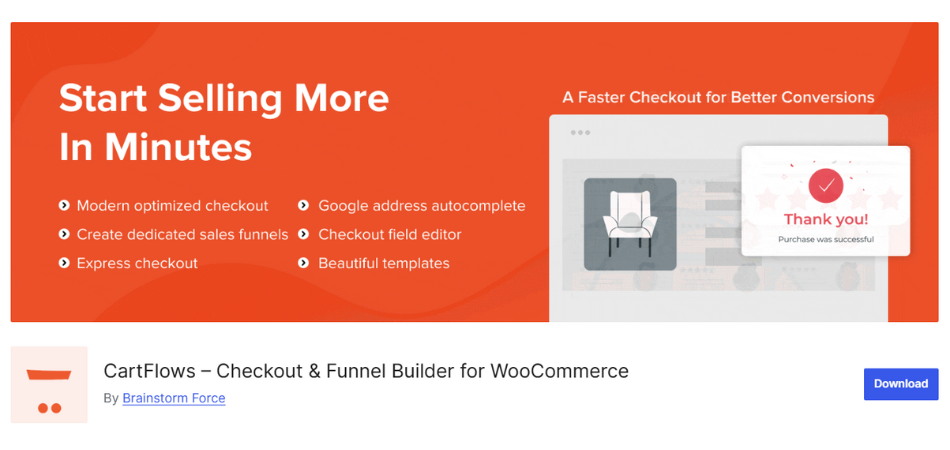
CartFlows is a WordPress automation plugin that automates the sales journey for your WooCommerce store. It helps you replace the default checkout and create high-converting sales funnels with upsells, downsells, order bumps, and optimized checkout pages. With this sales funnel automation plugin, you can set up funnels once and let them run on autopilot to guide buyers step-by-step, increasing conversions and revenue.
For example, CartFlows automates tasks like displaying the right offer at the right time, applying coupons during checkout, and handling dynamic purchase paths like one-click upsells. Moreover, with ready-made templates and drag-and-drop editing, you can quickly build funnels that work automatically without a developer.
Key Features
- Automated sales funnel creation with drag-and-drop page builder
- One-click upsells and downsells that appear automatically after purchase
- Optimized checkout flows that reduce cart abandonment
- A/B testing automation to continuously optimize conversion rates
- Pre-built funnel templates for various industries and products
- Order bump automation to increase average order value
- Dynamic checkout pages with automatic product recommendations
- Integration with email marketing and CRM platforms for automated follow-ups
- Analytics and tracking
UpdraftPlus – Top WordPress Automated Backup Plugin
There’s nothing more stressful than losing your site data. What if you had an automated backup plugin available to automate backups and keep your site safe?
UpdraftPlus is one of the most used WordPress automation plugins for backup. More than 3 million users trust this backup plugin to protect their data. With this WordPress plugin, you can automate backups on a schedule, daily, weekly, or monthly, and store them in remote locations like Google Drive, Dropbox, or email
Key Features
- Automated scheduled backups (daily, weekly, monthly) with customizable timing
- Automatic cloud storage to Google Drive, Dropbox, S3, OneDrive, and 10+ other services
- Separate scheduling for database and file backups
- Automatic backup retention and cleanup to manage storage space
- Email notifications for successful and failed backups
- One-click site restoration from any backup point
- Incremental backups to save bandwidth and storage
- Migration and cloning tools for moving sites between servers
Bit Social – Advanced Social Media Automation Plugin for WordPress
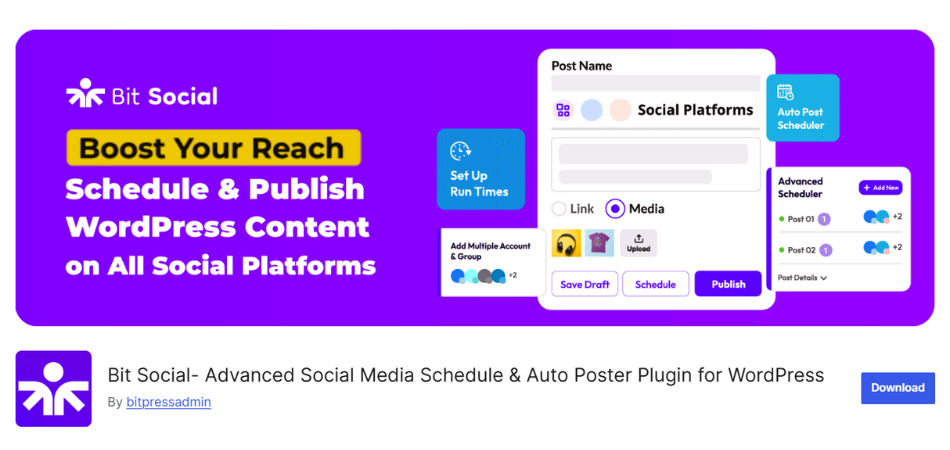
Heard of social media automation? Auto-posting WordPress posts on social media? Yes, with Bit Social, it is easier than you think. It is a handy, affordable social media automation plugin that automatically posts WordPress posts and WooCommerce products across various social media platforms (Facebook, LinkedIn, Twitter, Instagram, Pinterest, and more).
With this plugin, you can instantly share your Wp posts the moment they are published. Plus, its advanced scheduling feature allows you to schedule an entire month of content in advance and view it on a modern calendar. On top of that, Bit Social is now AI-powered. With its AI prompts, users can dynamically generate captions and descriptions. This plugin is ideal for bloggers and store owners who want consistent online visibility with minimal effort.
Key Features
- Unlimited auto-posting to 13+ platforms, including Facebook, LinkedIn, Instagram, TikTok, Threads, and Pinterest
- Unlimited advanced scheduling with modern calendar view
- AI prompts for dynamic caption and image generation using reusable templates
- Platform-specific customization of posts using smart tags
- WooCommerce product auto-sharing
- Advanced post filtering by category, tag, date, and post type.
TranslatePress – Best WordPress Translation Plugin
Want to view your site in multiple languages? That too automatically? Translatepress is here to do the job.
It helps you translate your WordPress content visually and apply automatic translation via AI tools or Google Translate integration. It’s one of the best WordPress automation plugins for WordPress users looking to reach a global audience. With this translation plugin, you can easily make your WordPress site multilingual without manually translating each page.
Additionally, the SEO of your site is also handled automatically. Be it generating multilingual URLs, meta tags, and sitemaps.
Key Features
- Visual translation editor with live preview on your actual site
- Automatic machine translation via Google Translate and DeepL APIs
- Automatic translation of new content as it’s published
- SEO-friendly multilingual URLs and automatic meta tag translation
- Language detection and automatic switcher generation
- WooCommerce product translation with automatic variant handling
- Translation of forms, menus, widgets, and plugin strings
- Integration with professional translation services for human review
Conclusion
WordPress automation plugins can transform how you manage your website while boosting efficiency. Whether you’re looking to automate SEO, form submissions, backups, or social media sharing, these plugins can help you streamline your processes and focus on what matters most: growing your business.
So, by integrating these best WordPress automation plugins into your workflow, you can stay ahead of the competition in 2026.
Frequently Asked Questions
1. What are WordPress automation plugins and why should I use them?
WordPress automation plugins help you automate repetitive tasks on your site, such as posting content, syncing data, SEO optimization, social sharing, email workflows, and backups, saving time and reducing manual work. They act like virtual assistants for your website, handling tasks automatically so you can focus on growth and strategy.
2. Which are the best WordPress automation plugins for 2026?
The best WordPress automation plugins for 2026 simplify tasks like workflow automation, SEO management, email marketing, and backups. Key features to look for include integrations with popular services, the ability to automate repetitive tasks like content publishing, form submissions, and e-commerce processes, as well as advanced features like AI-driven decision-making, customizable workflows, and seamless sync with external platforms.
3. Can I automate SEO tasks in WordPress without coding? Yes. Plugins like Rank Math and Bit Flows automate SEO tasks without coding by generating meta descriptions, optimizing titles, and handling sitemaps automatically, making it easier for beginners to improve visibility without technical skills.
4. How do WordPress automation plugins improve my site’s productivity? Automation plugins save time by eliminating manual steps, reducing human errors, helping deliver consistent user experiences, and allowing you to focus on high‑value tasks like content strategy and business growth instead of repetitive actions.
5. Can WordPress automation plugins handle e‑commerce tasks? Yes. Plugins like WooCommerce, CartFlows, and automation connectors such as Bit Integrations can automate order data syncing, follow‑up emails, abandoned cart workflows, and sales funnel steps for your e‑commerce store.
6. Is it safe to use multiple automation plugins on my WordPress site? Using multiple plugins is fine as long as they are well‑coded, compatible, and you avoid overlapping functionalities. However, too many heavy plugins can slow down your site, so choose only those needed for essential automation.
7. Can automation plugins help with lead capture and CRM workflows? Absolutely. Tools like Bit Integrations and FluentCRM automate lead capture, send form data to CRMs, trigger follow‑up emails, and manage customer journeys without manual intervention.
8. How do automated backups benefit my WordPress site? Plugins like UpdraftPlus automate backups on a schedule and store them remotely, ensuring your site’s data is safe from loss due to hacks, errors, or updates, giving you peace of mind without manual steps.
9. What kinds of tasks can I automate with WordPress automation plugins? You can automate publishing content, SEO optimization, form submission handling, social sharing, email sequences, CRM syncing, backups, sales funnels, translations, and much more using the right set of WordPress automation plugins.